Now on Microsoft Store

Seven apps.
One tray icon.

Notes, reminders, journal, automations and PC care. Built for Windows 11 and private by default.

Preview: clicking the Trayzen icon in the Windows notification area opens a flyout with all seven apps, and each app opens in its own window.

Your PC collects small apps for notes, lists, cleanup and screenshots. Trayzen puts them in one calm place, a click away in the tray.

Made for your everyday.

Four focused apps for what you write, plan and remember. Each opens in its own window, straight from the tray.

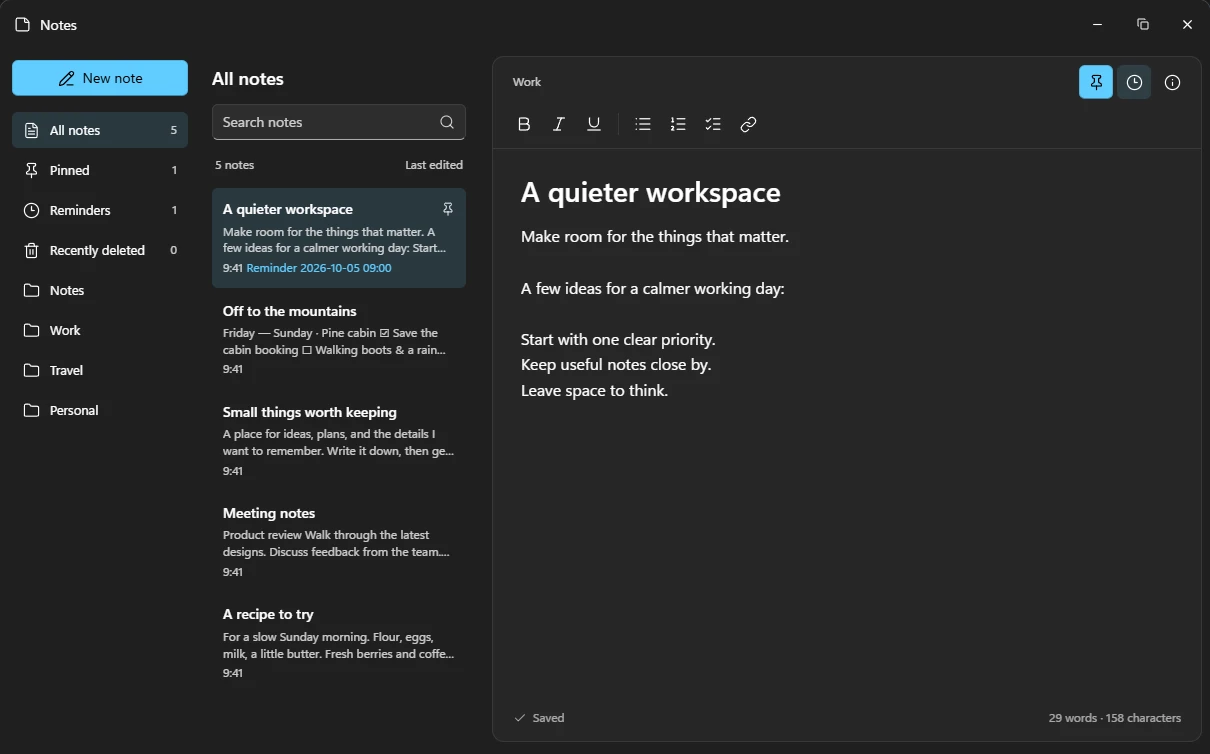
Notes

Write it down. Find it fast.

Rich text, checklists, folders and tags. Every change saves as you type.

More about Notes
Reminders

Never miss the next thing.

Smart lists, dates, priorities and repeats, with a nudge right on time.

More about Reminders
Journal

A private record of your days.

Moods, tags and attachments in searchable journals that stay on your PC.

More about Journal
Automations

Repeat yourself less.

Chain apps, files, links, waits and notifications into one-click workflows.

More about Automations

Desktop tools, one shortcut away.

Small utilities that live in the tray and stay out of the way until you need them.

  1. Capture & recordPrtSc

    Select an area, mark it up, pull out text with OCR or record it with sound.

    How it works
  2. Media Controller

    Playback, progress and volume for whatever is playing, docked by the taskbar.

    How it works
  3. Quick PreviewSpace

    Press Space in File Explorer to look inside a file without opening it.

    How it works
  4. Audio & devices

    Switch outputs, set the volume and check headphone battery without Settings.

    How it works
  5. Call Dock

    Discord call status and mute controls, right in the taskbar.

    How it works
  6. Theme automation

    Light by day and dark by night, on a schedule or with your local sunset.

    How it works
  7. Task Separator

    Group pinned taskbar apps with clean dividing lines.

    How it works

Care for your PC and your display.

Two careful apps that explain before they act, and leave Windows in charge.

A calmer way to keep your PC in shape.

  • Health, cleanup, storage and startup apps in one view
  • Duplicates and leftovers go to the Recycle Bin, never deleted blindly
  • Trusted Windows repair tools, one click away
How System Care works

Private by default.

Your notes, lists and journals live on your PC. You decide if anything leaves it.

No account needed

Every app works offline. There is nothing to sign up for.

Sync stays yours

Optional OneDrive sync is encrypted on your PC. Only your password unlocks it.

No ads, no profiles

Trayzen never builds advertising or tracking profiles.

Read the privacy policy

  • Notes
  • Reminders
  • Journal
  • Automations
  • Preview
  • System Care
  • OLED Care

Get Trayzen.

Windows 11 24H2 or newer. Available on Microsoft Store.